The Delivery Route Looks Short Until the Stops Are in the Wrong Order
By weiyi weiyi · 2026-11-05
Overview
A dispatcher can load fifty addresses into a map and get a route that looks plausible. The trouble appears after the driver leaves: one customer is not ready before lunch, another building has a loading window, and a cluster of stops requires parking far from the entrances. Distance is only one part of delivery planning. A workable route must consider stop duration, time windows, vehicle constraints and the order in which parcels are loaded. Optimisation software can help, but it cannot correct missing or inconsistent delivery information by itself.
Practical considerations
When evaluating a delivery route planner, start with the address data. Duplicate stops, missing apartment numbers and incorrect postal codes can produce detours that no routing algorithm can avoid. Standardise address fields and check whether the application can flag ambiguous locations. For recurring deliveries, preserve customer notes such as entrance instructions, safe parking locations and handling requirements where lawful and appropriate.
These details should be available to drivers without forcing them to search through private messages. Good data hygiene often reduces wasted time before the first route is even generated. Dispatchers should also track why routes are changed in practice. If drivers repeatedly reverse a particular stop order, ask what the planner is missing: a loading entrance, lunch break, traffic pattern or customer preference. That feedback can improve future data and avoid treating every driver adjustment as a refusal to follow instructions.
A multi stop route planner should also be tested against realistic operating rules. Can the dispatcher set a fixed departure point, end location and stops that must occur before a deadline? What happens when a priority delivery is added after the route starts?
The shortest route may not be the most practical if it causes a driver to reach an office after reception closes. For fleets with multiple vehicles, job allocation matters as much as stop order. Vehicle capacity, driver shift times and customer commitments should be reflected in the plan where the software supports them.
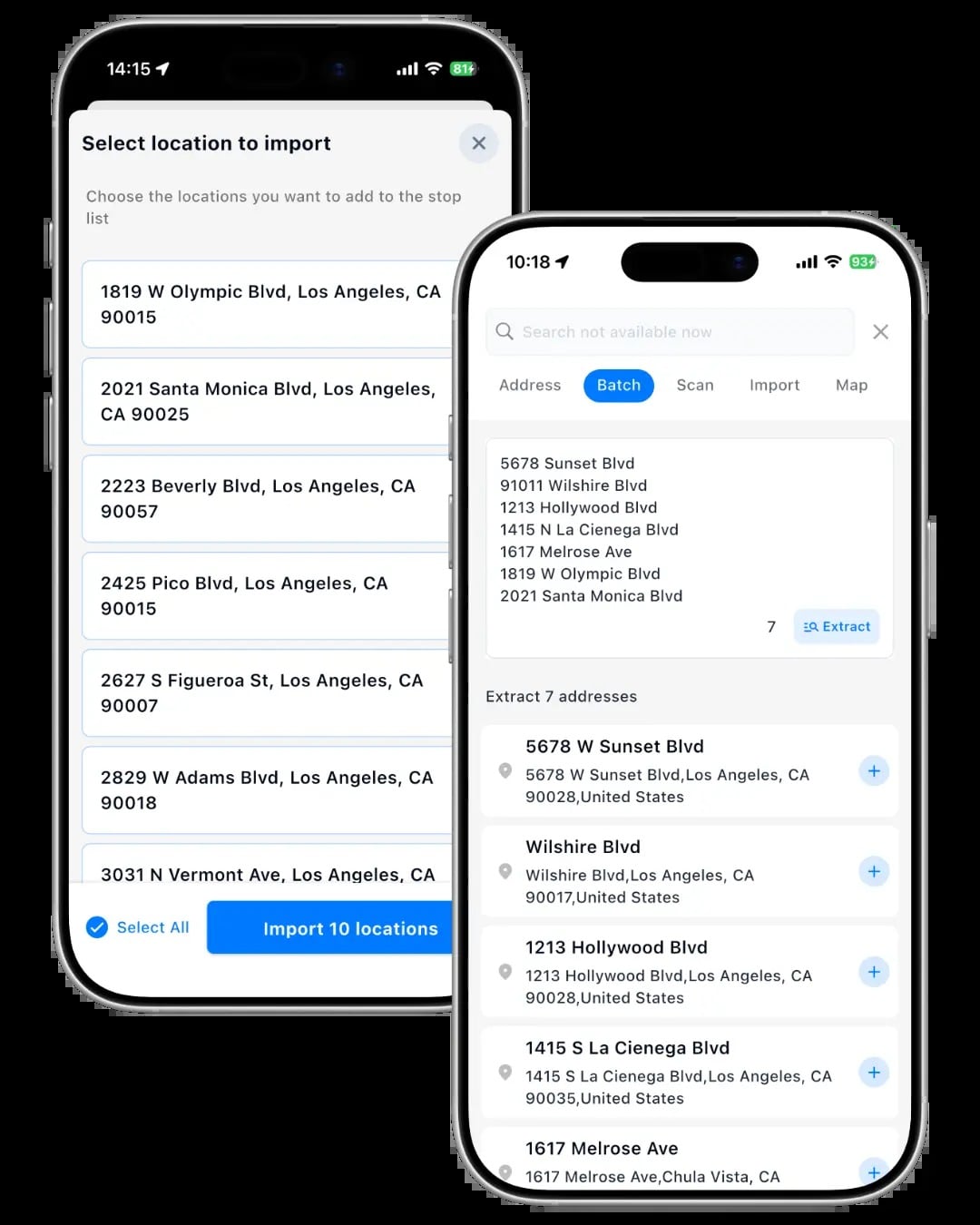
Importing a spreadsheet sounds straightforward, but field mapping deserves a trial. A CSV file may hold multiple address components, notes and delivery IDs in different columns. Test whether the application preserves these fields and how it handles repeated names or missing coordinates. Exported data is just as important: dispatchers may need completed-stop timestamps, proof-of-delivery references and exception codes for customer support. If a route is changed by the driver, the system should make it clear which plan was originally issued and which actions were actually completed.
Phone usability affects adoption. Drivers need a simple way to open the next stop, mark a delivery complete and report an exception without typing long notes in traffic. Offline behaviour matters in basements, rural areas and loading bays with weak coverage. Review battery use, navigation handoff and whether the application requires constant switching between screens. Driver feedback during a pilot is more useful than an office demonstration alone. A route that saves three kilometres but adds repeated taps or confusing prompts may not be an improvement.
Loop Route Planner provides route-planning functionality for delivery workflows. Test it with a week of actual addresses before comparing subscription costs or advertised stop limits. Look at route quality, time-window handling, import reliability and driver acceptance together. The result worth measuring is not simply the number of stops the software can accept. It is whether deliveries are completed more predictably with fewer avoidable exceptions and less time spent repairing the schedule.